
Disclosure: This article contains Amazon affiliate links. As an Amazon Associate, Clean Water Pools may earn from qualifying purchases.
A robotic pool cleaner cable takes more abuse than most owners realize. It gets dragged across coping, stepped over on the deck, stored in tight loops, and asked to follow a machine that changes direction for an hour or two at a time. When that cable starts twisting, the cleaner may still run, but coverage can get uneven and the cord connection takes stress it does not need.
For this article I used the queued CleanWaterPools topic helper for the selected topic, slug, meta description, Amazon product cards, and Pool Chemical Calculator block. Then I rewrote the body around primary manufacturer guidance from Maytronics, Hayward, and Pentair robotic cleaner manuals/support pages. The practical takeaway is simple: never treat the cable as a leash, give the cleaner only the cable length it needs, straighten twists while the cord is relaxed, and stop using the unit if you see electrical damage.
Calculate the chemistry change before you add more
A robot can collect leaves, dust, and grit, but it cannot correct sanitizer, pH, alkalinity, calcium hardness, or stabilizer. After a heavy cleanup, test the water and use Pool Chemical Calculator before adding chemicals by habit.
Download the Pool Chemical Calculator app
Use the pool calculator website
Use the handle, not the cable
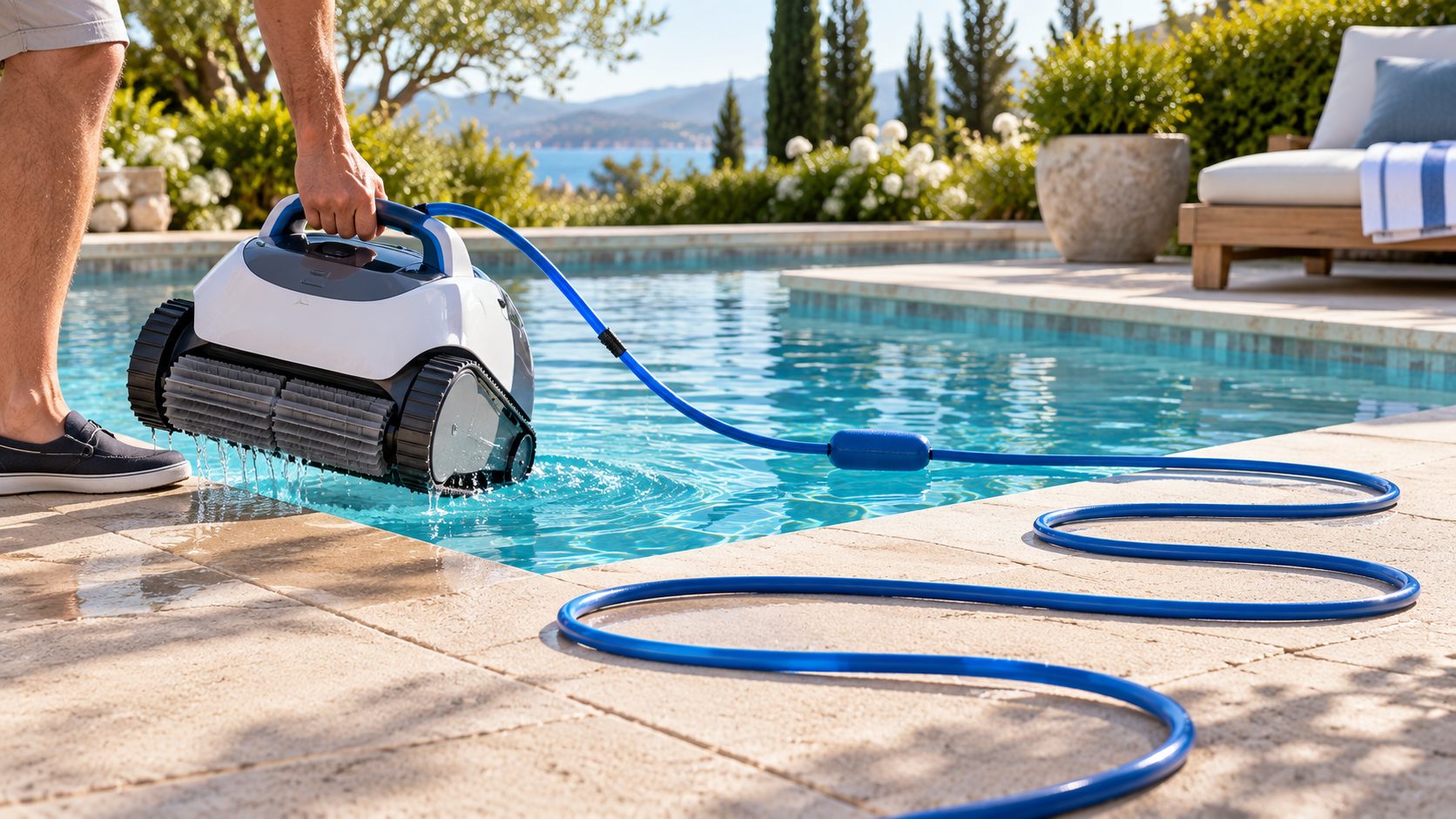
The most important cable-care rule is also the easiest to ignore: use the approved handle or retrieval process, not the cord, when removing the cleaner. Hayward’s robotic cleaner FAQ says the floating cable can be used gently to bring the robot toward the pool edge, but the cleaner should not be pulled out of the water by the cable. Maytronics manuals give the same basic warning: do not lift the robot from the pool by its cable.
That distinction matters. Pulling the cleaner closer while it is still floating is different from hoisting a water-filled machine by the cord. Let the unit drain, keep your footing, and lift by the handle. If the cleaner is heavy, pause instead of yanking. A strained cable gland or connector can turn a minor habit into an expensive repair.
Start each run with a relaxed cord
Twists usually start small. The cleaner turns one direction more than the other, the owner coils the cable the same way every time, or extra cable sits in the water in tight loops. Maytronics support tells owners to place the cleaner so the cable enters the water in a straight, relaxed line and to let the swivel rotate freely. That is a good everyday rule even if your model uses a different anti-tangle design.
Before a cleaning cycle, unroll the cable on the deck and look for corkscrew sections, hard bends, and knots near the cleaner. Put only the needed length in the pool, with a little slack for the cleaner to reach the far wall. If the power supply is set too far from the pool or shoved behind furniture, the cable may stay under tension for the whole run.
Untwist it while it is wet and easy to relax
If the cable starts to coil on itself, fix that before the next cycle. Several Maytronics owner manuals describe spreading the wet cable flat and straight so it can dry without holding the twist. For a homeowner, the routine is straightforward: unplug the power supply, remove and drain the cleaner, disconnect the cable if your model allows it, and lay the cord out straight on the deck where no one will trip.
Do not fight the cable with sharp bends. Do not hang the whole cleaner from the cord to make it spin. Work the twist out gradually from the cleaner end toward the plug or swivel, then store it in broad loops. If the swivel is stiff, cracked, or not rotating, check the exact manual for your model before ordering parts.
Store the cable where it cannot be crushed
Storage is where neat-looking habits can do damage. Tight figure-eight wraps, sharp kinks under the cleaner body, and bins packed with heavy parts can all teach the cable to keep a bad shape. Pentair’s robotic cleaner guidance shows the communication cable handled from the caddy and stored with the cleaner when not in use. The point is not that every owner needs the same cart. The point is that the cable needs broad support, not pressure points.
Keep the power supply dry, off the ground if your manual requires it, and away from splash zones. Keep the cable out of traffic paths where guests, chairs, and rolling coolers can crush it. If you leave the cleaner in the pool between cycles, follow the manual closely; prolonged soaking, sunlight, and repeated operation can make cable problems harder to catch.
Inspect during the filter-basket routine
The easiest time to check the cord is right after you empty the cleaner. While the basket is out, look at the first few inches of cable where it enters the cleaner, the swivel or connector, and any sections that rub coping. You are looking for cracked insulation, flattened spots, exposed conductors, green corrosion, loose strain relief, or a plug that no longer seats cleanly.
If you see damage, stop. This is electrical equipment used around water. Do not tape a damaged robotic cleaner cable and send it back into the pool. Contact the manufacturer, the dealer, or a qualified pool service professional for the correct replacement path.
Quick cable-care checklist
- Unplug the power supply before handling or servicing the cleaner.
- Bring the cleaner to the edge gently, then lift by the handle after it drains.
- Lay out the cable before a run and remove tight loops or corkscrew twists.
- Use only enough cable for the cleaner to reach the pool, with reasonable slack.
- Let any swivel or anti-tangle device rotate freely instead of burying it in a knot.
- Store the cord in broad loops on a caddy, hook, or clean shelf.
- Keep the power supply dry and away from splash, sprinklers, and foot traffic.
- Stop using the cleaner if the cable, plug, connector, or housing looks damaged.
Helpful related checks
Cable care works best when the rest of the cleaner is maintained too. If the robot is leaving streaks after the cable is straightened, review the robotic pool cleaner filter basket routine. If a suction cleaner is part of your setup, the suction cleaner hose length checklist can help separate hose problems from robot problems. For circulation patterns, see the guide to return jet direction and cleaner coverage.
Helpful pool supplies
As an Amazon Associate, Clean Water Pools may earn from qualifying purchases.


Compare robotic pool cleaner caddies, cable swivels, replacement cords, and cable-care supplies on Amazon after you confirm compatibility with your exact cleaner model.
Clean Water Pools may earn from qualifying Amazon purchases.
Safety and chemistry note
This article is pool-care information, not electrical, medical, or professional repair advice. Keep swimmers out of the water while a robotic cleaner is operating. Disconnect power before service. Follow the manual for your exact model, and do not use a robot with a damaged cord, plug, power supply, or housing. For chemical additions after cleanup, follow product labels, local codes, and measured test results.
Research note: claims in this article were checked against Maytronics Dolphin support and user-manual guidance, Hayward robotic cleaner FAQ and owner materials, and Pentair Prowler robotic cleaner installation and maintenance guidance. I kept model-specific instructions general unless the manufacturers aligned on the same homeowner practice.
FAQ
Can a twisted robot cable affect cleaning coverage?
Yes. A twisted or tensioned cable can limit travel, steer the robot into repeated paths, or keep it from reaching part of the pool. Straighten the cord before assuming the cleaner has a motor or navigation problem.
Should I pull the cleaner out by the floating cable?
No. Use the cable only as your manual allows, such as gently bringing the cleaner closer to the edge. Let the cleaner drain and lift it by the handle or approved grip points.
How should I store a robotic pool cleaner cable?
Store it in broad, relaxed loops on the cleaner caddy, a clean hook, or a shelf where it will not be crushed. Avoid tight wraps, sharp bends, and heavy items sitting on the cord.
Can I repair a damaged robotic cleaner cable myself?
Do not tape, splice, or improvise repairs on electrical equipment used around water. Check the manual for your exact model and contact the manufacturer, dealer, or a qualified service professional.
Bottom line: A clean, relaxed cable helps the cleaner move freely and protects the most vulnerable electrical connection on the machine. Handle the robot by its body, straighten twists early, and retire the unit from service if the cable looks damaged.
For water balance after debris cleanup, use the Pool Chemical Calculator app or the poolchemicalcalculator.com website so dosing starts from real test numbers.